
Status refers to submission status, which is the current status of the most recent submission. The submission status tells the Licensee what is expected and if the project can progress to the next Stage. Common parameters such as Approved, Resubmit, Samples Due, and so on are added by MyMediabox during implementation.
Clicking the Status folder under Utilities and Configuration in the Admin folder tree opens the Submission Status List pane and Submission Status Detail pane, where Site Administrators can add, edit, or delete Submission Status parameters.
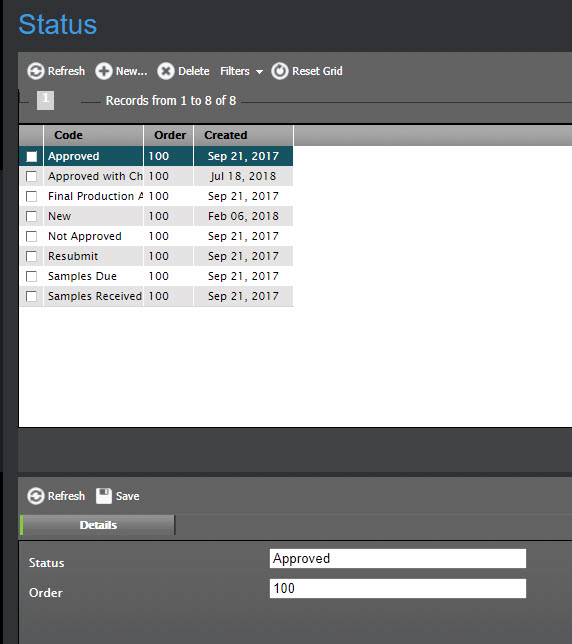
Adding a Submission Status
To add a Submission Status
Under Utilities and Configuration, select the Status folder.
At the top of the Submission Status List pane, click New.
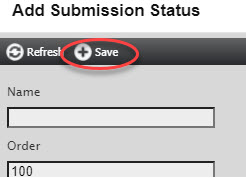
In the Add Submission Status dialog, enter the following:
Name – The name of the Submission Status
Order – The order in which Submission Stages are displayed in the Submission Stages list
The default order of 100 shows list items in alphabetical order. To move a list item higher up the list, enter a lower number. To move it lower down the list, enter a higher number.
Click Save to save the new Submission Status.
Editing Submission Status details
To edit Submission Status details
Under Utilities and Configuration, select the Status folder.
In the Submission Status List pane, select the Submission Status by clicking on it to show the Submission Status Detail pane.
In the Submission Status Detail pane, edit the information.
Click Save to save the changes.
Deleting a Submission Status
To delete a Submission Status
Under Utilities and Configuration, select the Status folder.
In the Submission Status List pane, select the Submission Status(es) by selecting the checkbox next to the Submission Status name.
At the top of the Submission Status List pane, click Delete and then Yes to delete the Submission Status(es).