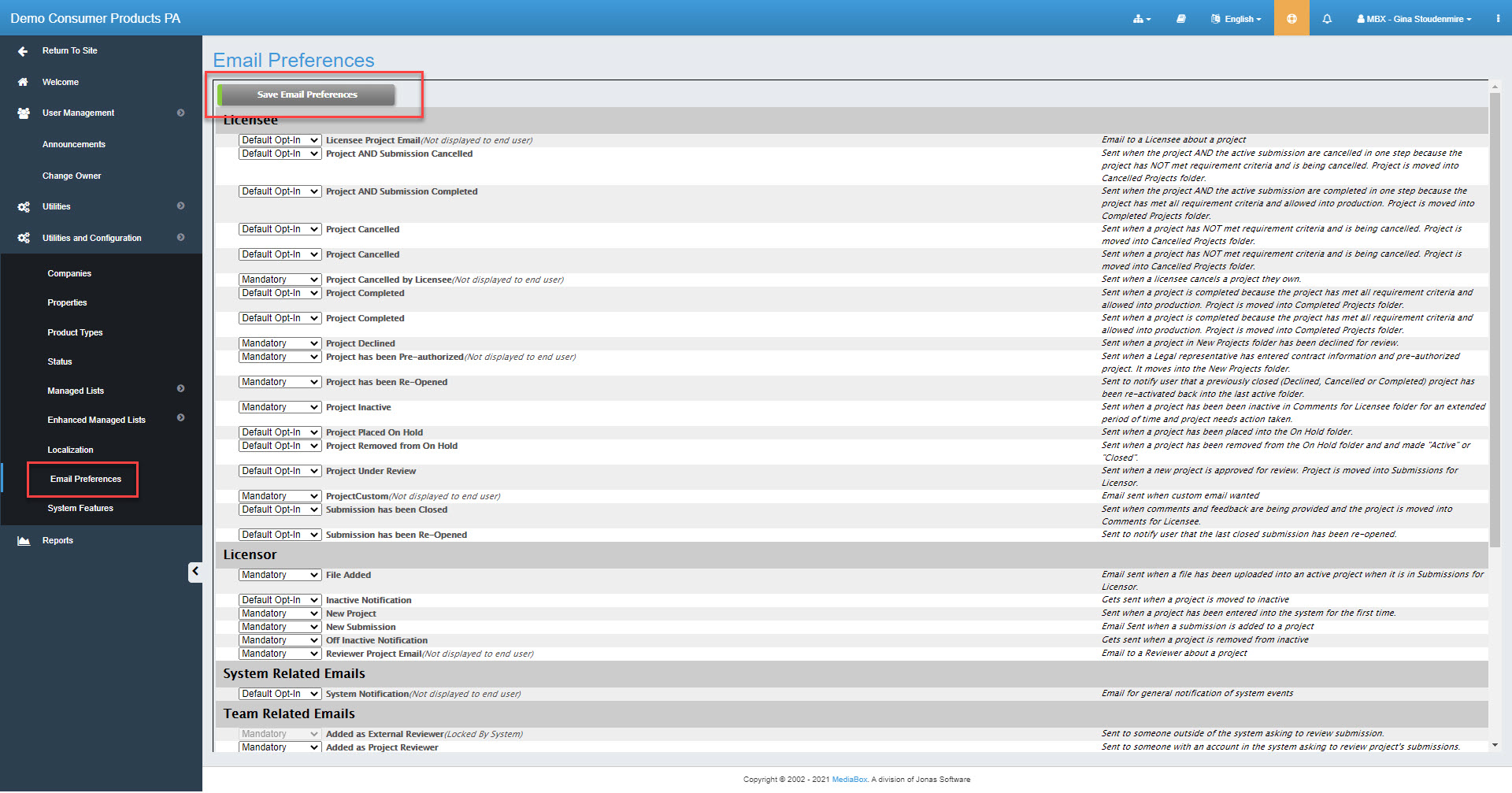
Site Administrators manage the default settings by role for Users’ email preferences. Unless the Site Admin sets the default value to Mandatory, a User may opt in or out of receiving the email notifications.
To manage email preferences
Under Utilities and Configuration, select the Email Preferences folder.
Per role, set each default value to one of the following:
Mandatory - Email will be sent and user cannot opt out.
Default Opt-IN - Email will be sent but user can opt out to prevent future emails. Any emails that are generated will be sent to members of the BCC list.
Default Opt-OUT - Email will be sent only if user has opted in. Any emails that are generated will be sent to members of the BCC list.
Click Save Email Preferences.