
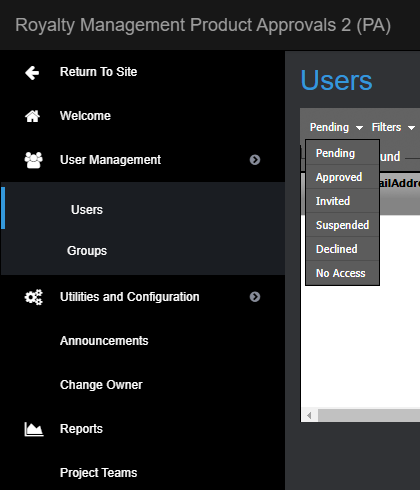
Users are divided into the following categories, which are shown in a dropdown menu at the top of the User List pane:
Pending – Users who have requested access to Mediabox-PA but have not yet been approved or declined (the Pending list is shown by default)
Approved – Users who are approved
Invited – Users who have been invited but have not yet accepted the invitation
Suspended – Users who have been suspended
Declined – Users who requested access but have been declined
No Access – Users whose accounts have expired and who no longer have access to the system
Each user list can be filtered by the following parameters by toggling Filters ON at the top of the User List pane:
Email Address
First Name
Last Name
Company Name
Company Code
Job Title

To filter users
At the top of the User List pane, select a user list from the dropdown menu.
Select Filters ON to filter users.
Enter the user information in one or more of the search fields and press Enter to filter the search results.
TIP Full words are not necessary to perform the search – the first three letters are usually enough.