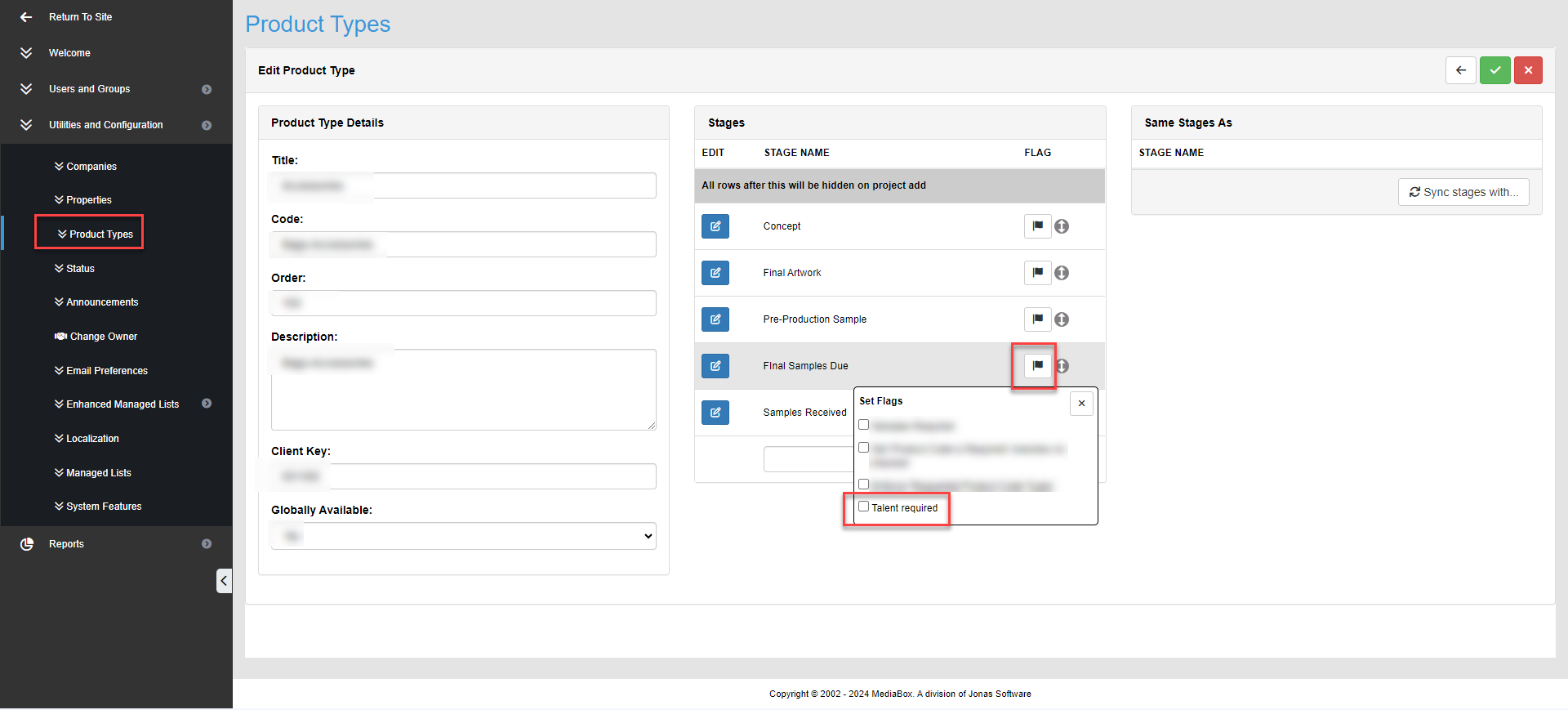
Once talent has been added to the Talent (Name/Voice/Likeliness) Managed List the flag ''Talent Required'' can be enabled to require licensee's enter talent information at the selected stage.
If New talent needs to be added to the list see: How to Add Managed List Items:
1. Go to Utilities and Configurations list and select Product Types
2. Select Product Type you wish to set up talent requirement.
3. Select Flag icon at stage licensee's typically need to add talent information.
4. Check Box ''Talent Required''.